Redesigning subscription management for self-service billing
End-to-end redesign of the core subscription and billing module for an enterprise B2B SaaS platform, streamlining self-service account management and in-app monetization.
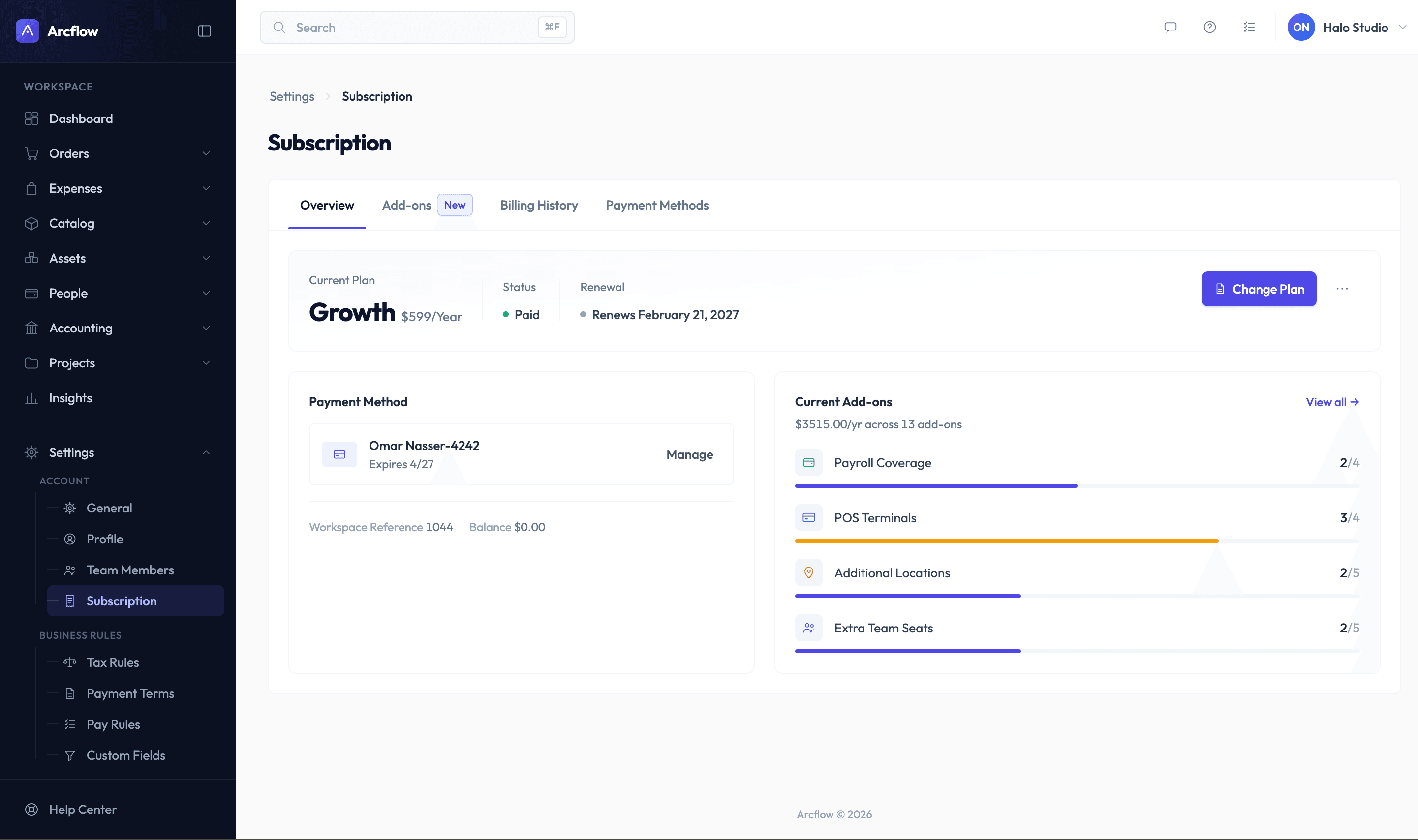
End-to-end redesign of the core subscription and billing module for an enterprise B2B SaaS platform, streamlining self-service account management and in-app monetization.
The legacy subscription interface was a single, cluttered page that combined plan details, add-on purchasing, invoices, payment methods, and cancellation into an unorganized layout.
How can we restructure subscription settings to help users find key data in seconds without cognitive overload?
How can we replace external redirect links with a native, friction-free checkout flow directly inside the platform?
How can we introduce constructive friction to the cancellation journey to prevent churn while gathering valuable qualitative feedback?
Insight
Users need a clear, high-level overview of their plan status and payment defaults, keeping deeper administrative actions separate.
Decision
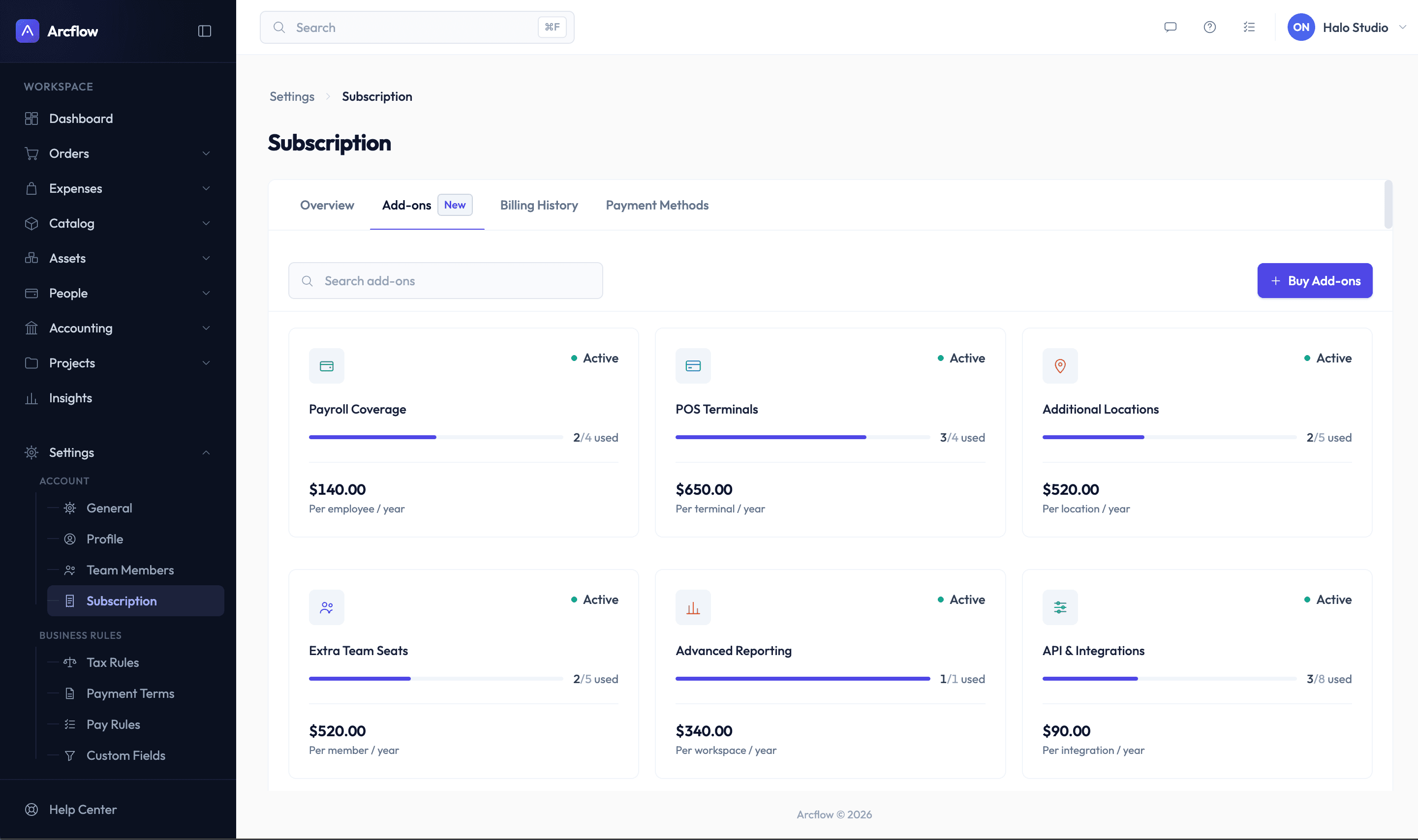
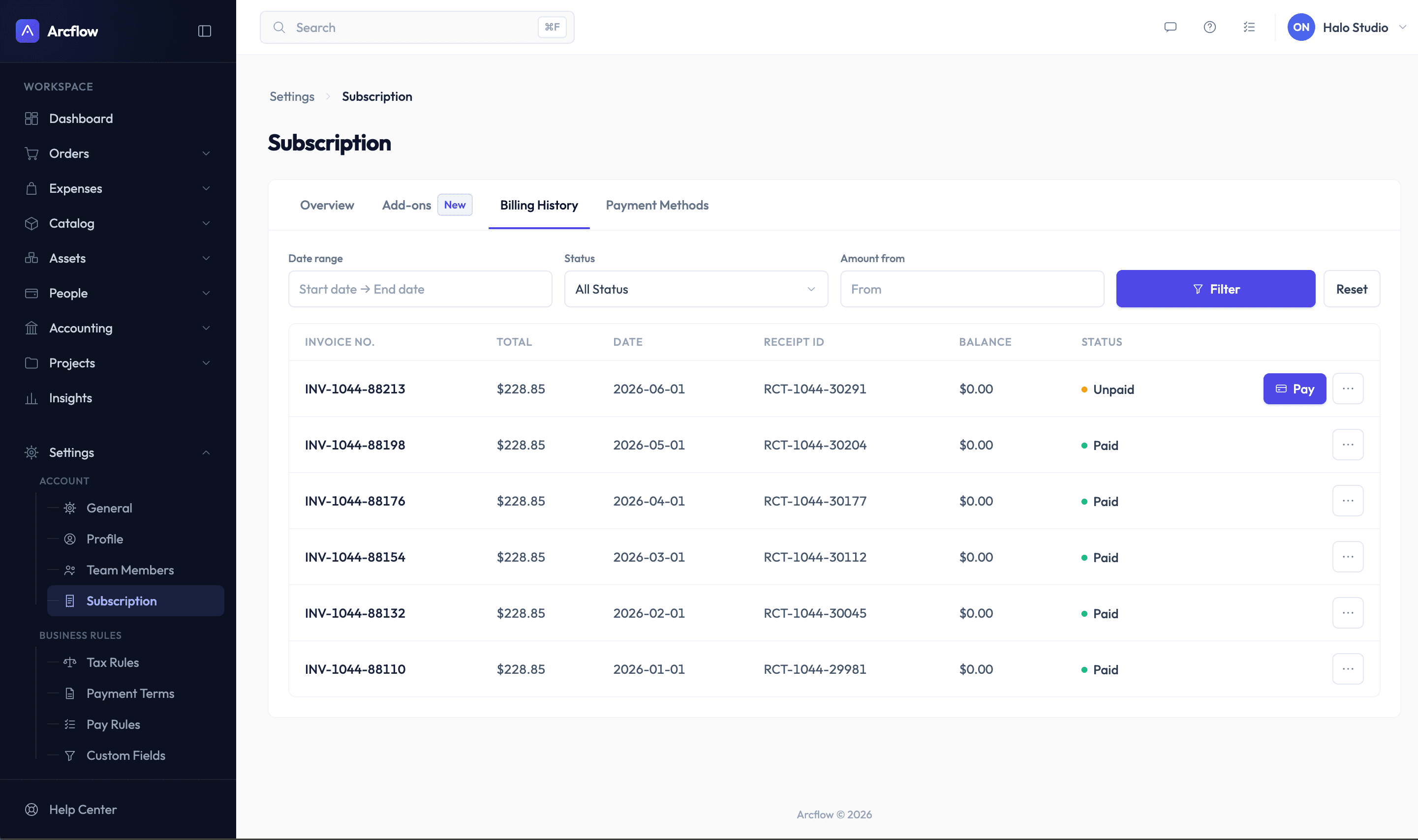
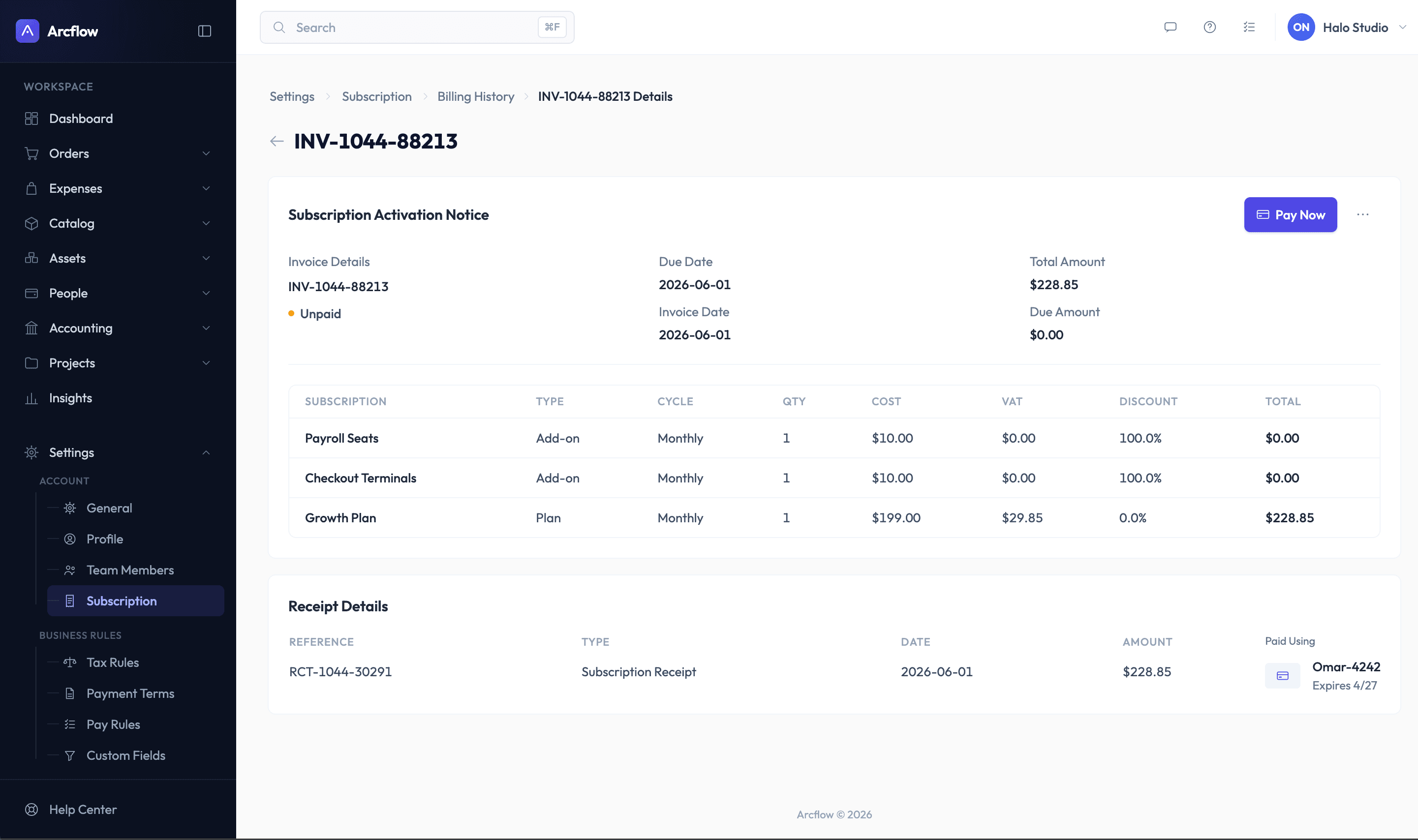
4-Tab information architecture: segmented the monolithic view into four dedicated tabs (Overview, Add-ons, Billing History, Payment Methods) to minimize cognitive strain.
Insight
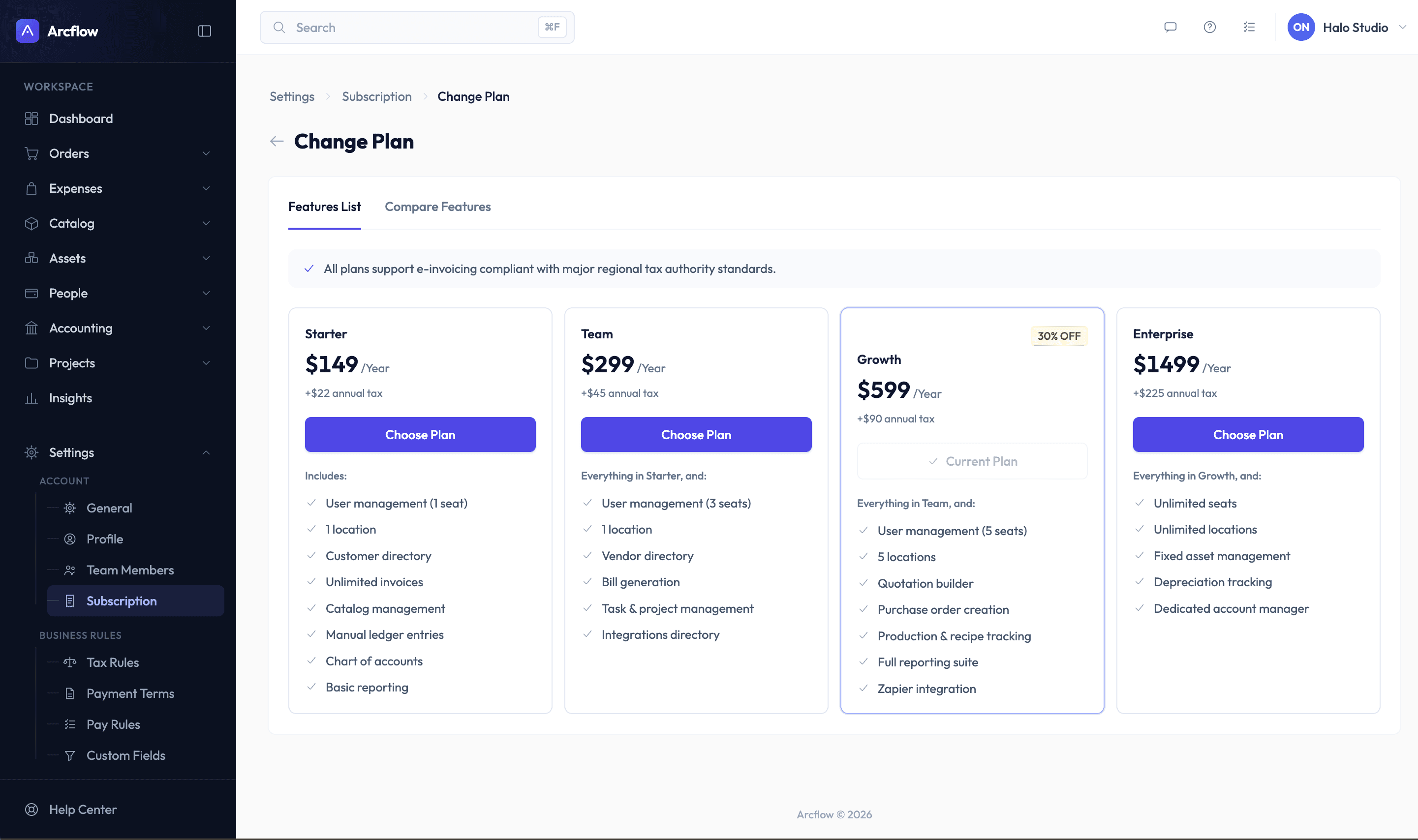
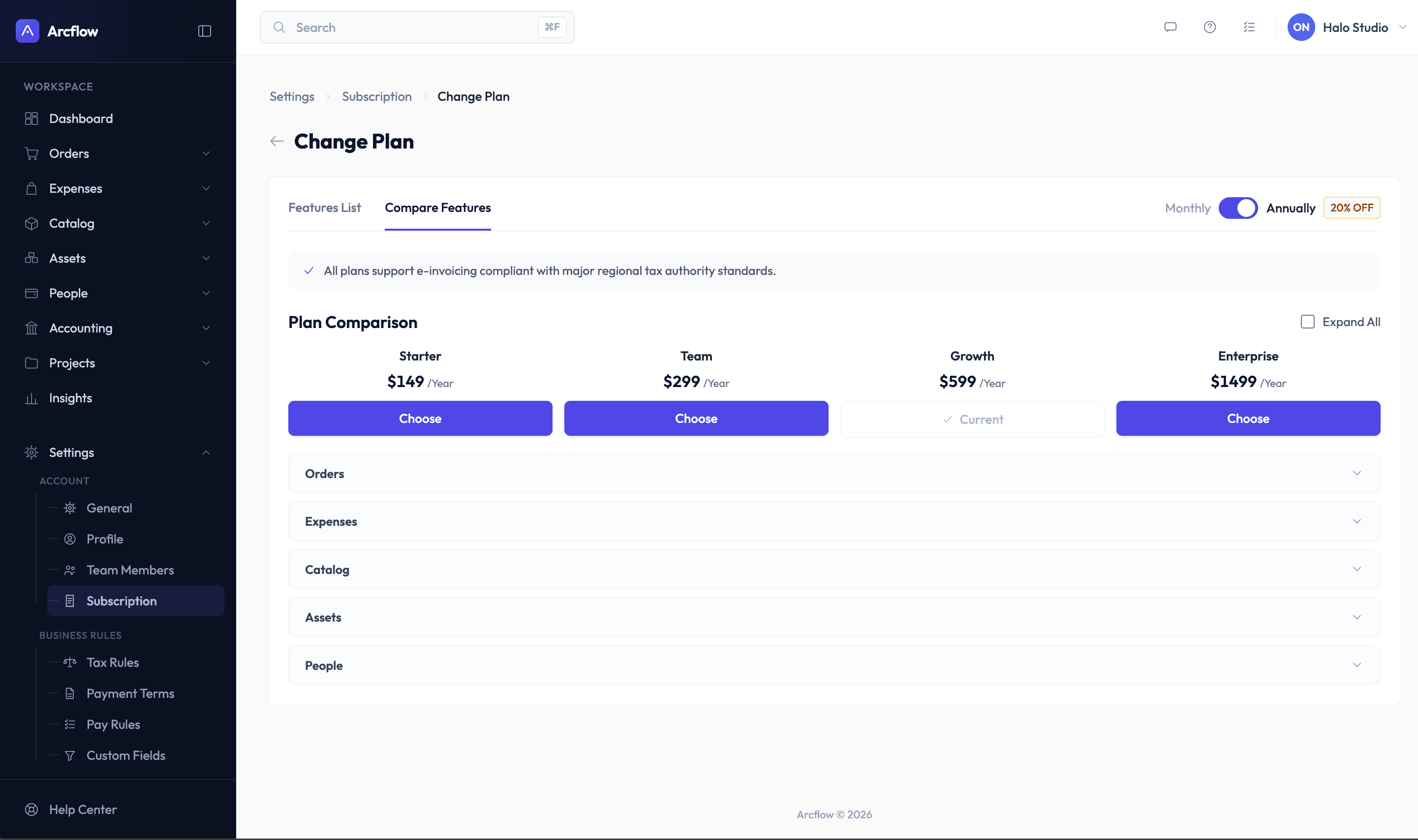
Upgrades stall when users cannot compare plan differences in real time without leaving their workflow.
Decision
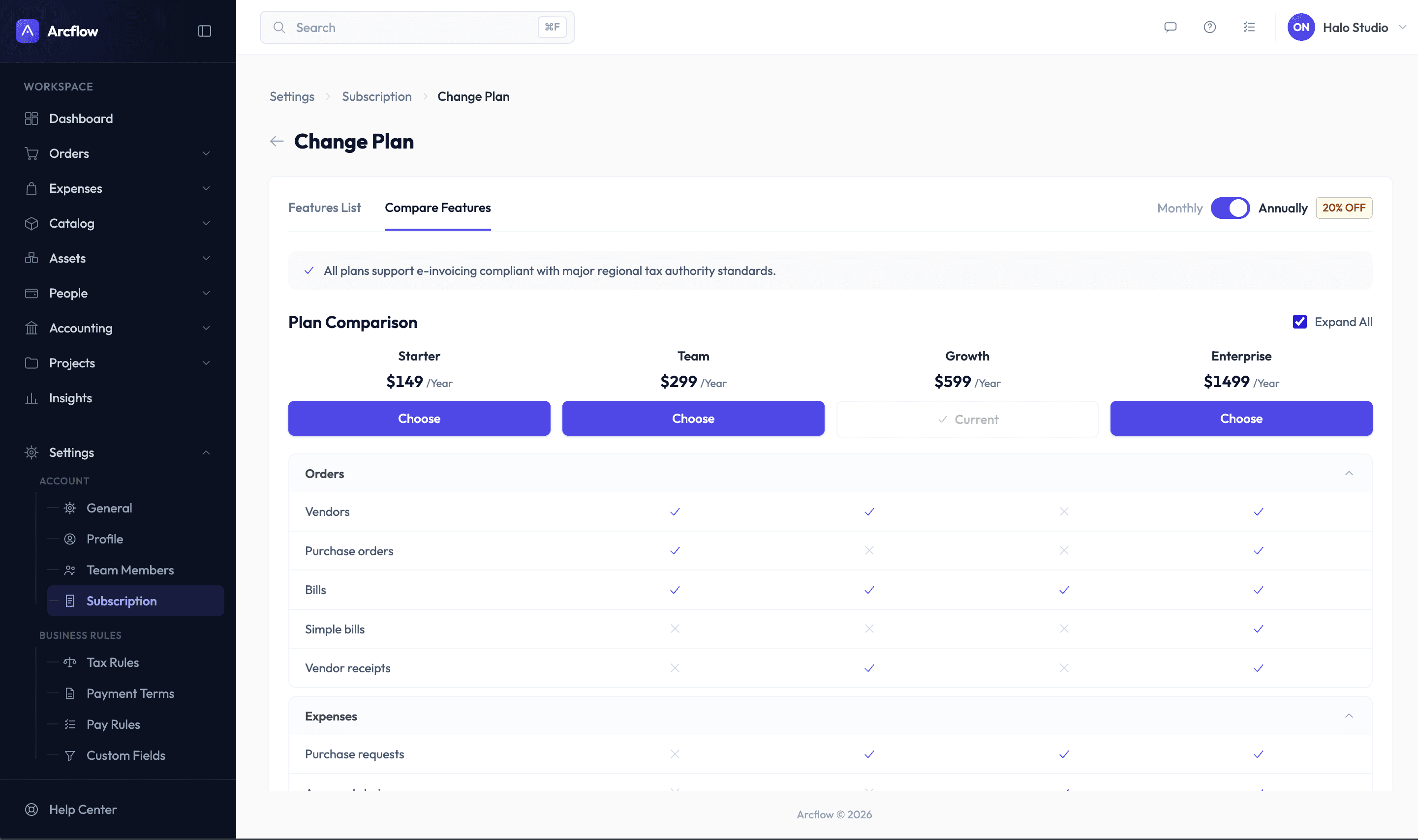
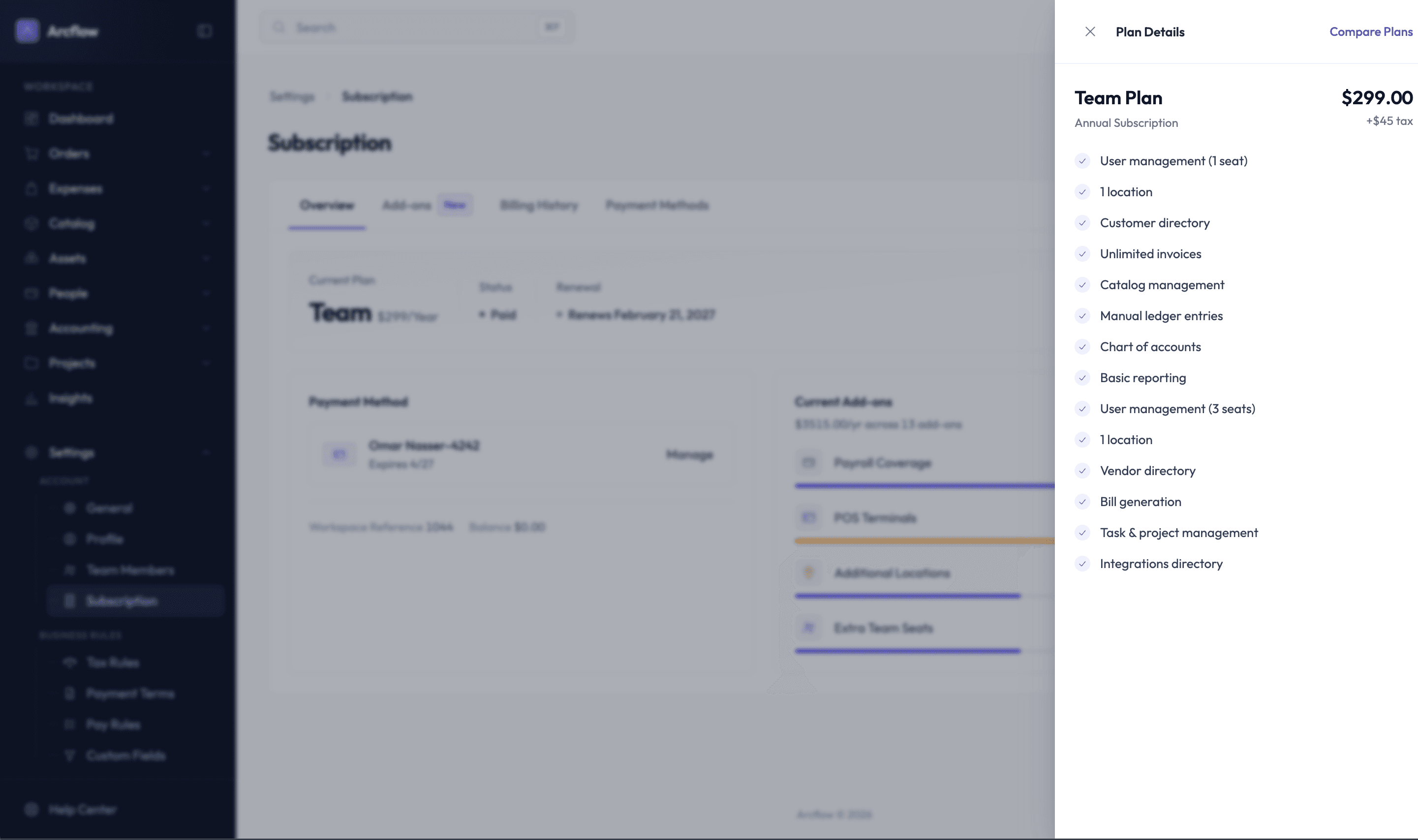
Native in-app upgrades & comparison: replaced external links with an integrated tier comparison matrix and seamless in-platform checkout.
Insight
Adding self-service controls for add-ons directly drives expansion revenue (ARPU) when placed in an accessible marketplace context.
Decision
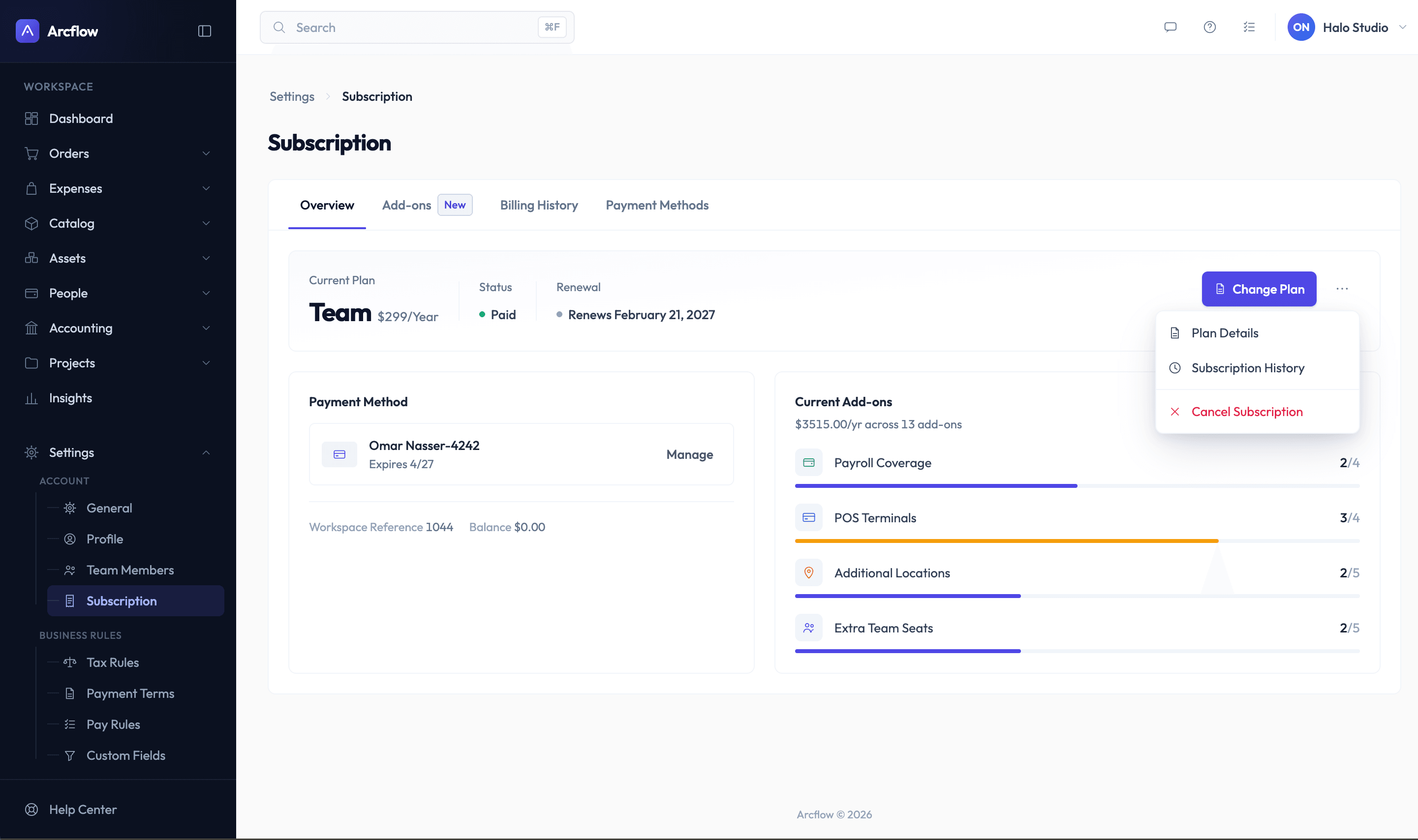
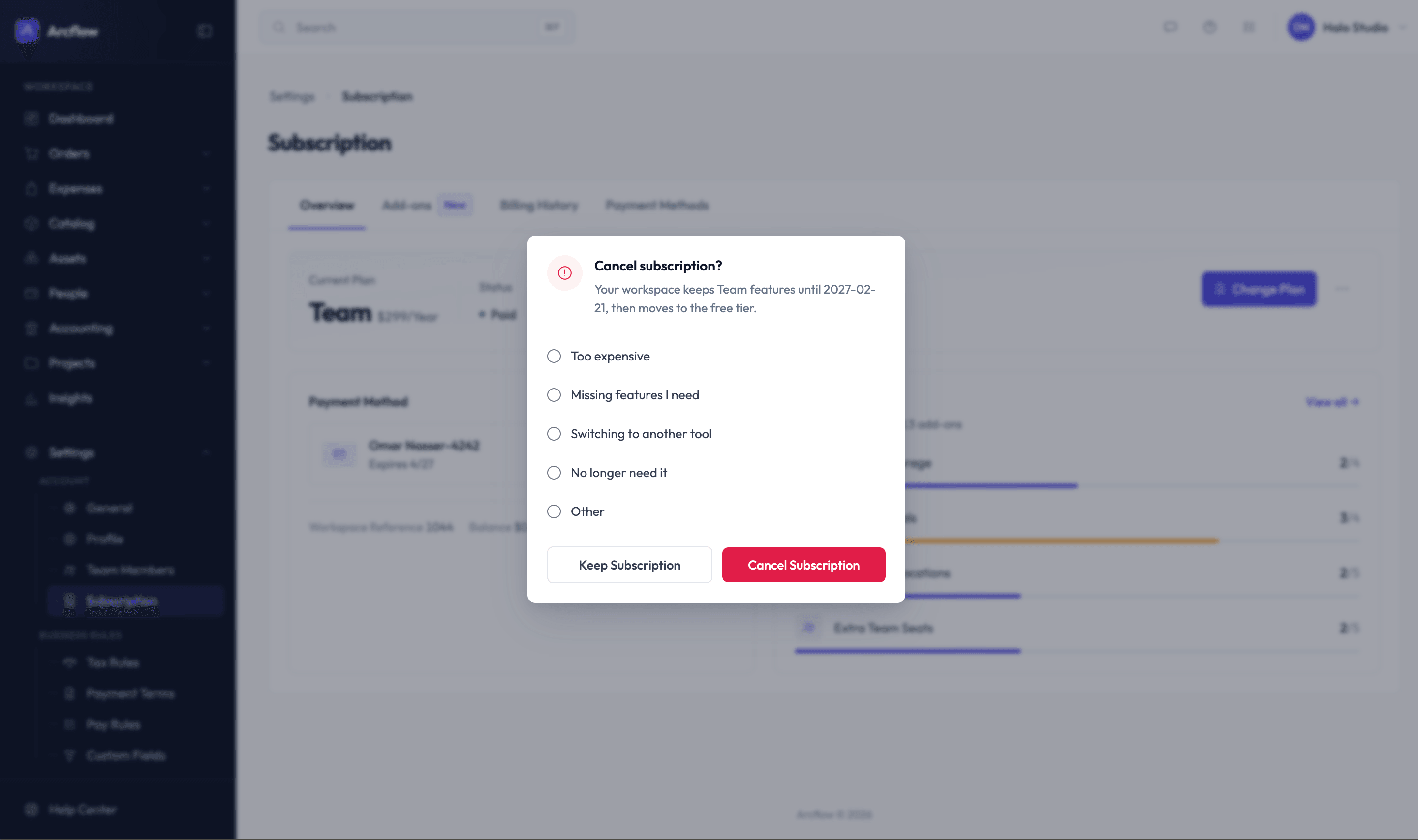
Retention-focused cancellation flow: tucked the cancel action into a secondary dropdown, coupled with a mandatory reason survey and confirmation modal.
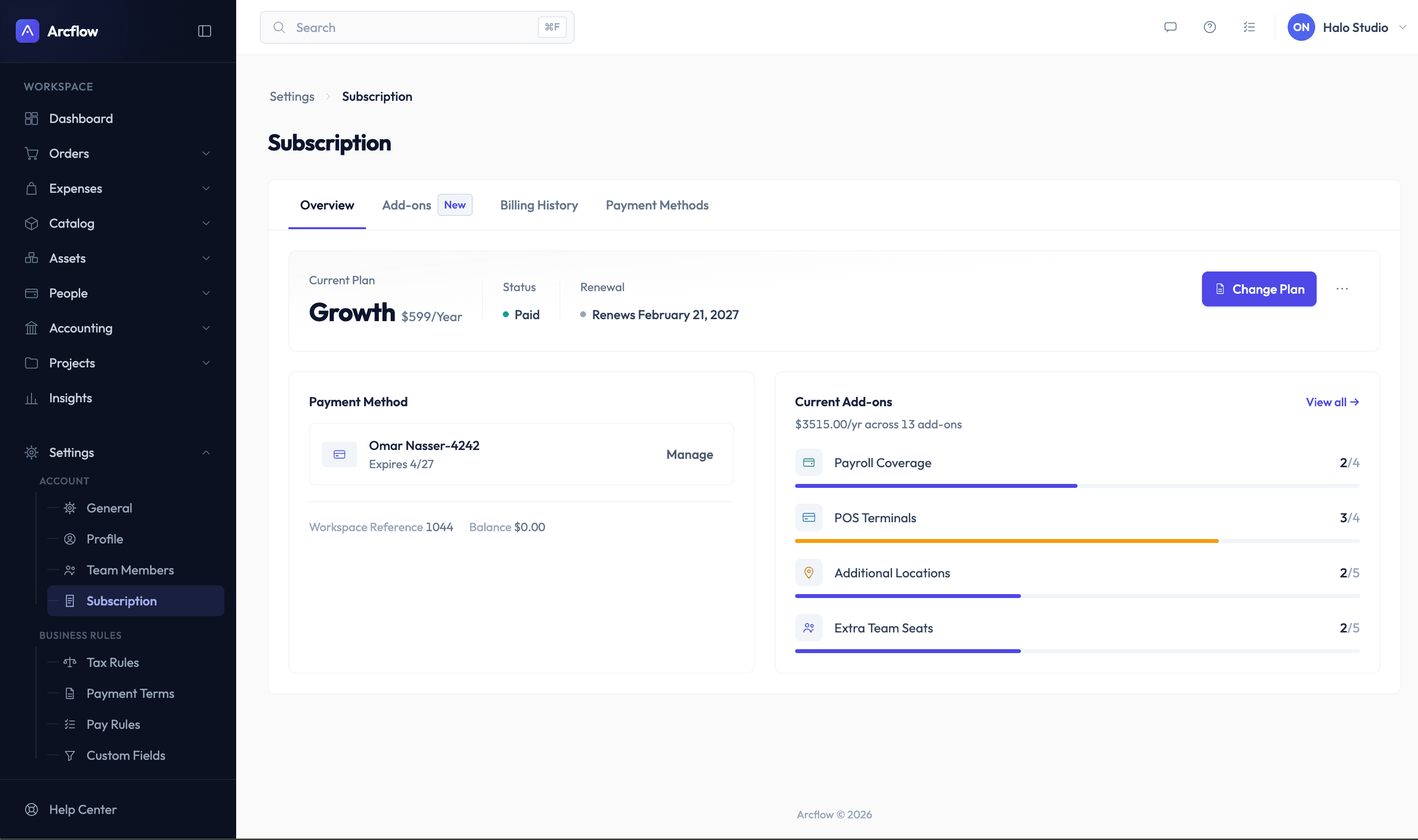
One crowded page became four focused tabs. Each answers a single question — what am I on, what have I added, what have I paid — so people find what they need in seconds.
Scroll or swipe through the tabs
Upgrading used to mean leaving the product for an external checkout. Now plans are picked, compared and changed right inside Arcflow, so the decision never leaves the workflow.
Scroll or swipe to see every step
Cancel moved from a prominent button into the plan's actions menu, and leads to a short exit survey with a clear way to keep the subscription.
Telemetry & testing — Tracked user behavioral events via Mixpanel, ran moderated usability tests, and monitored incoming Customer Success tickets.
Release 2 iteration — Addressed minor visual hierarchy inquiries identified in V1, refined interaction states, and eliminated remaining manual intervention touchpoints for support agents.
| Dimension | Before (legacy) | After (redesign) |
|---|---|---|
| Information layout | Monolithic, cluttered single-page view | Contextual 4-tab structured hierarchy |
| Checkout flow | External redirection (high friction / drop-off) | 100% in-app native self-service purchasing |
| Plan evaluation | No direct tier comparison | Side-by-side interactive comparison matrix |
| Cancellation UX | Exposed button encouraging accidental churn | Guarded dropdown action with exit feedback loop |
95–97% drop in billing-related support tickets, first month
100% in-app native purchasing — zero external drop-offs
Manual execution → strategic guidance (Customer Success role shift)