B2B Enterprise SaaS · Mobile App · Navigation & UX

Mobile App Revamp & Navigation Overhaul for B2B FinTech

An end-to-end UX/UI revamp of a legacy mobile application for an enterprise B2B accounting and financial management platform — transforming it from an underutilized, rigid utility into a dynamic, daily executive command center tailored to diverse user personas.

Role — Lead Product / UI/UX Designer Type — Mobile App / B2B FinTech

+74%

Active user growth

~55%

Faster approval cycles
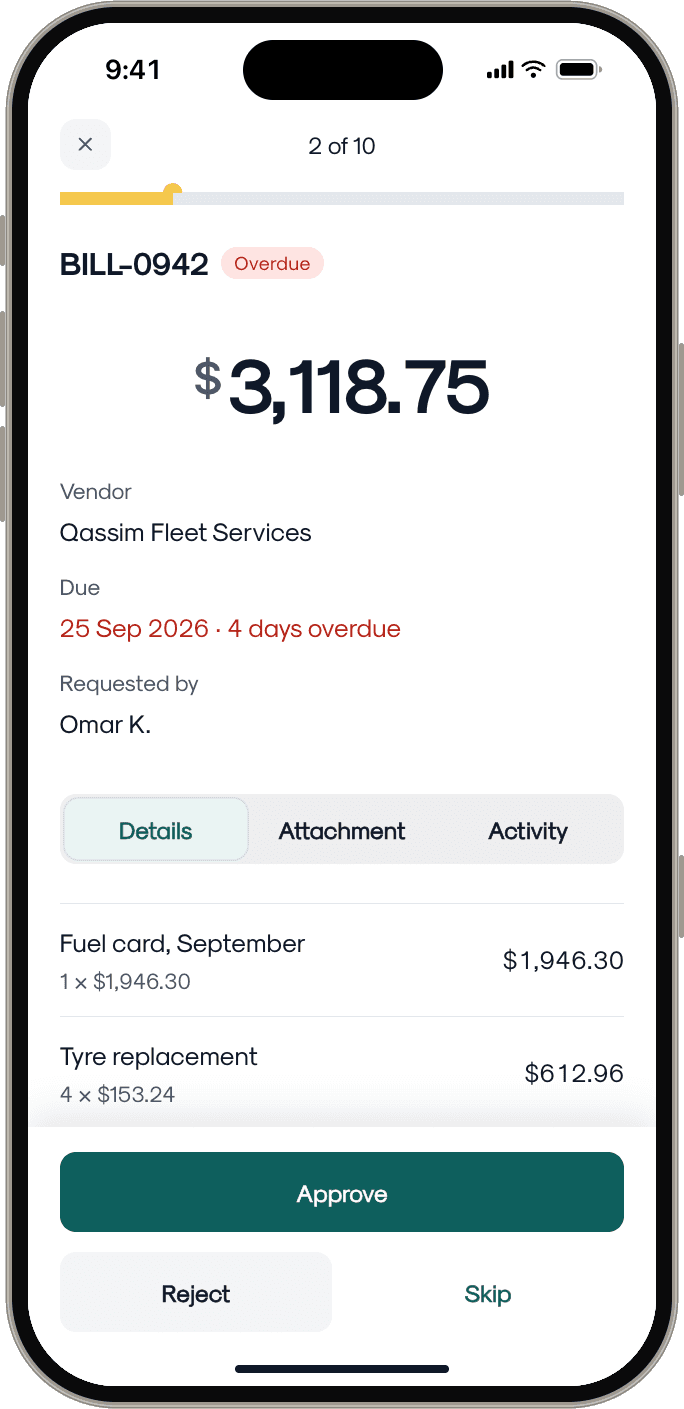
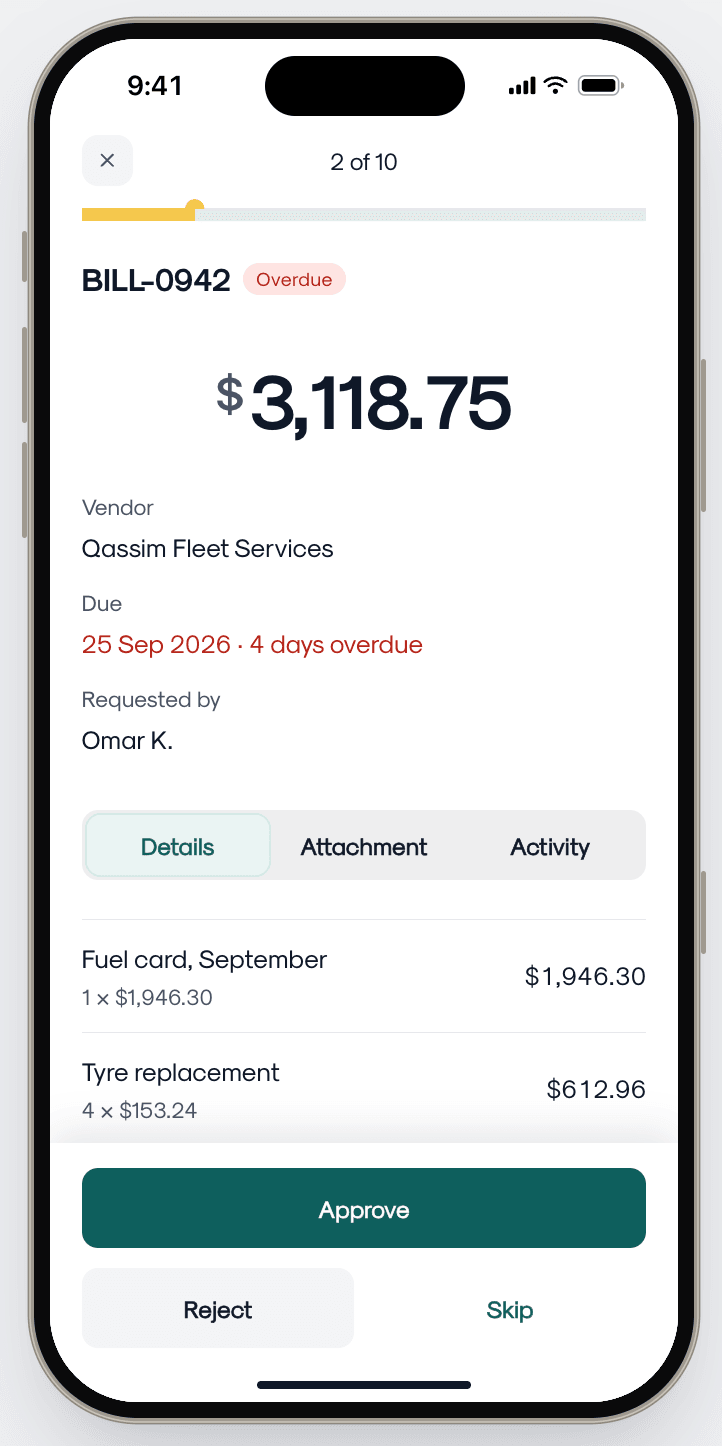
Clearday Review all screen, 2 of 10: bill BILL-0942 for $3,118.75 with Approve, Reject and Skip
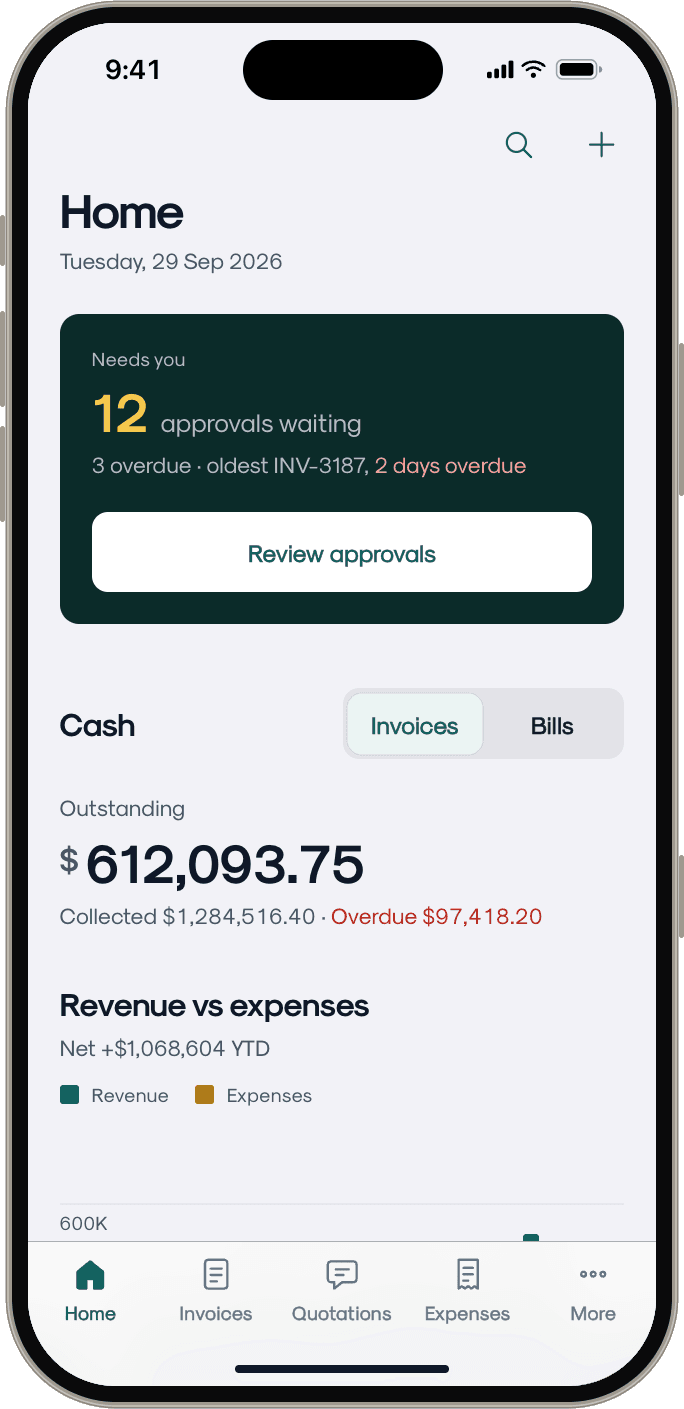
Clearday Home with 12 approvals waiting, outstanding cash and the revenue vs expenses chart
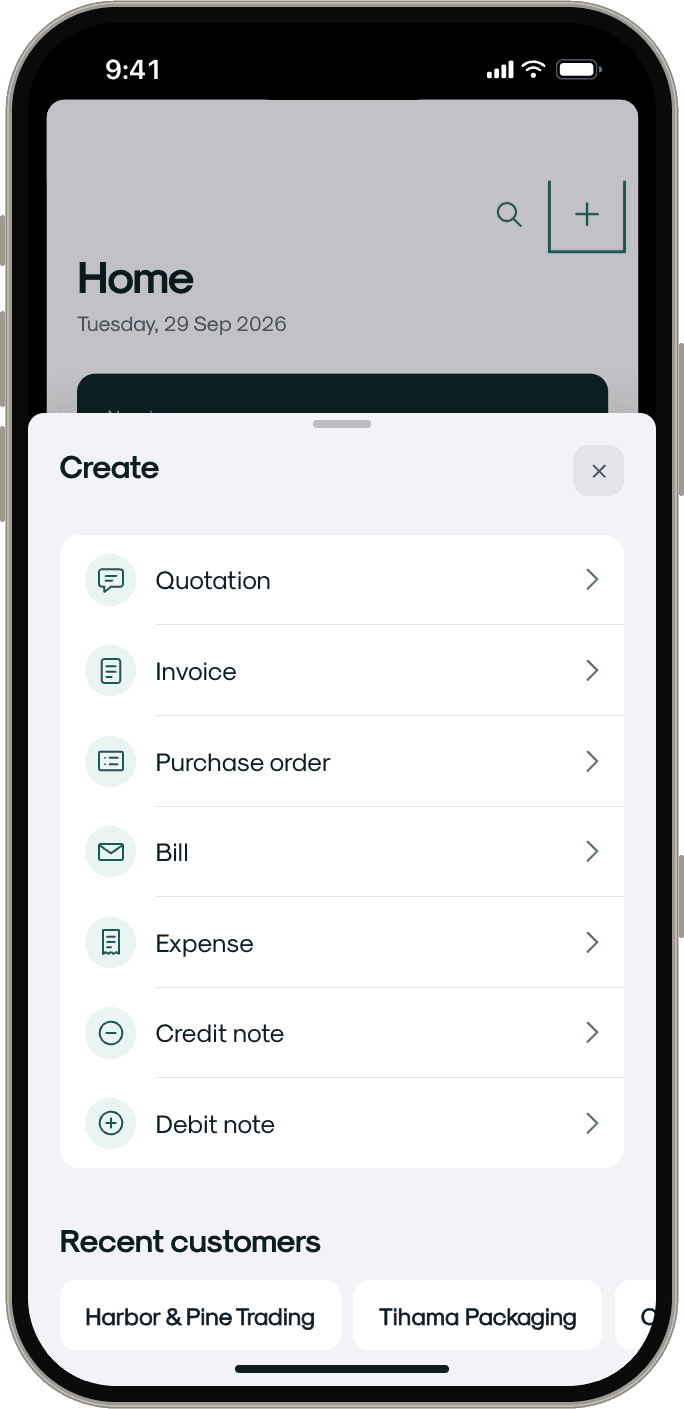
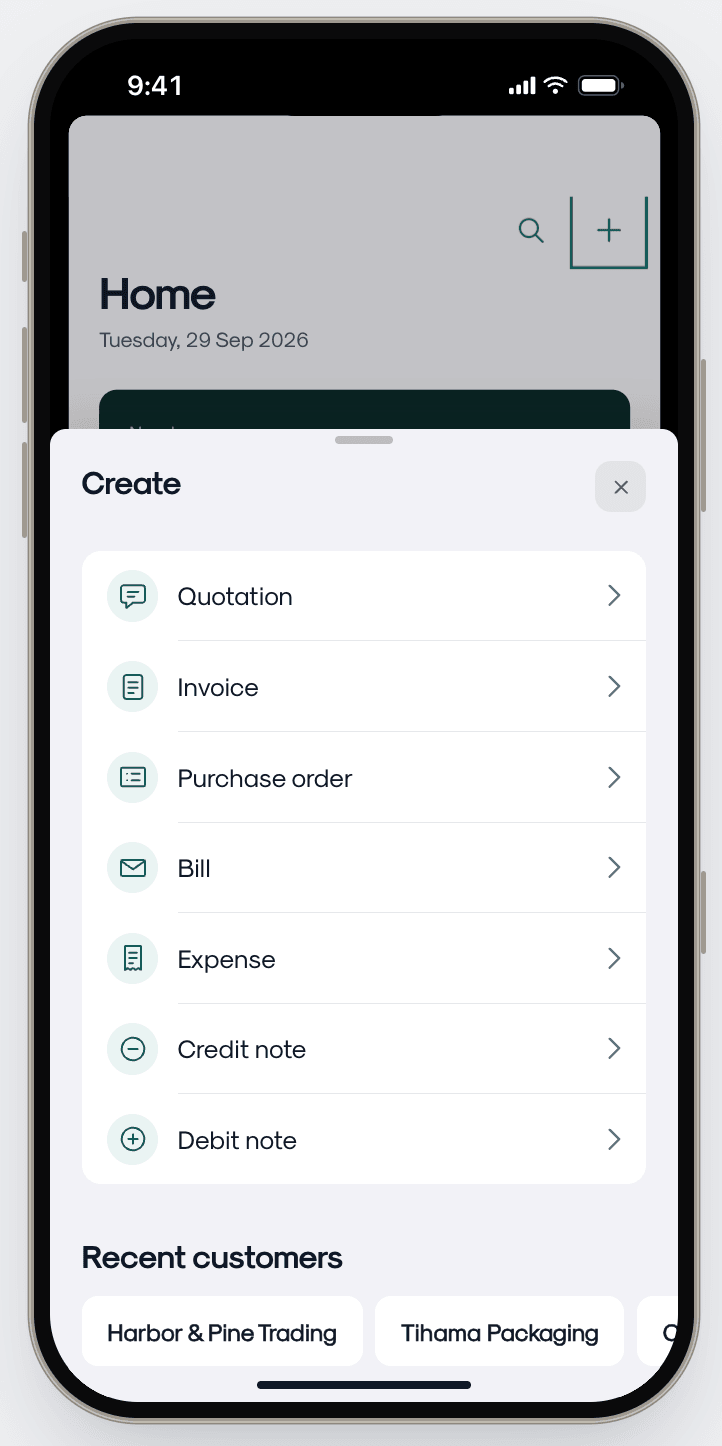
Clearday Create sheet listing quotation, invoice, purchase order, bill, expense and credit and debit notes
Context & Scope

The platform's original mobile application was a direct, albeit poor, translation of the web experience. It suffered from critically low daily engagement because it acted merely as a basic data-entry tool rather than a comprehensive, on-the-go financial companion for decision-makers.

Problem Statement — Persona Conflict

User experience barrier

  • Navigation paralysis — a cluttered hamburger menu buried dozens of modules and sub-modules, severely hindering discoverability and violating mobile ergonomic best practices.
  • The persona conflict — the app forced a one-size-fits-all layout, satisfying neither of its two core users. Business Owner vs Accountant
  • Dead-end home screen — the main screen lacked any cognitive value, featuring only a few quick-create buttons without any actionable financial context or pending tasks.

Business impact

  • Near-zero engagement — despite significant development investment, the mobile app saw near-zero daily active engagement.
  • Approval bottlenecks — managers delayed commercial document approvals due to a lack of immediate mobile visibility and centralized notifications.
Key Questions

How can we design a unified mobile navigation system that dynamically adapts to the conflicting needs of different user personas without requiring separate apps?

How do we transition the home screen from a passive, static menu into a proactive, decision-driving financial dashboard?

How can we retain rapid data-entry capabilities without sacrificing valuable screen real estate meant for financial insights?

Core Insights & Design Decisions
01

Insight

Personalization resolves persona conflicts — allowing users to choose and pin their most-used modules to the main tab bar creates a sense of ownership and naturally solves the varying needs of owners vs. accountants.

Decision

Customizable bottom tab bar — eradicated the legacy side menu, introducing a dynamic bottom navigation bar with 4 primary slots and a dedicated "More" hub.

Drag-and-drop personalization — an intuitive edit mode within the "More" tab lets users drag, swipe, and swap modules to curate their own 4-tab layout.

Personalised tab bar
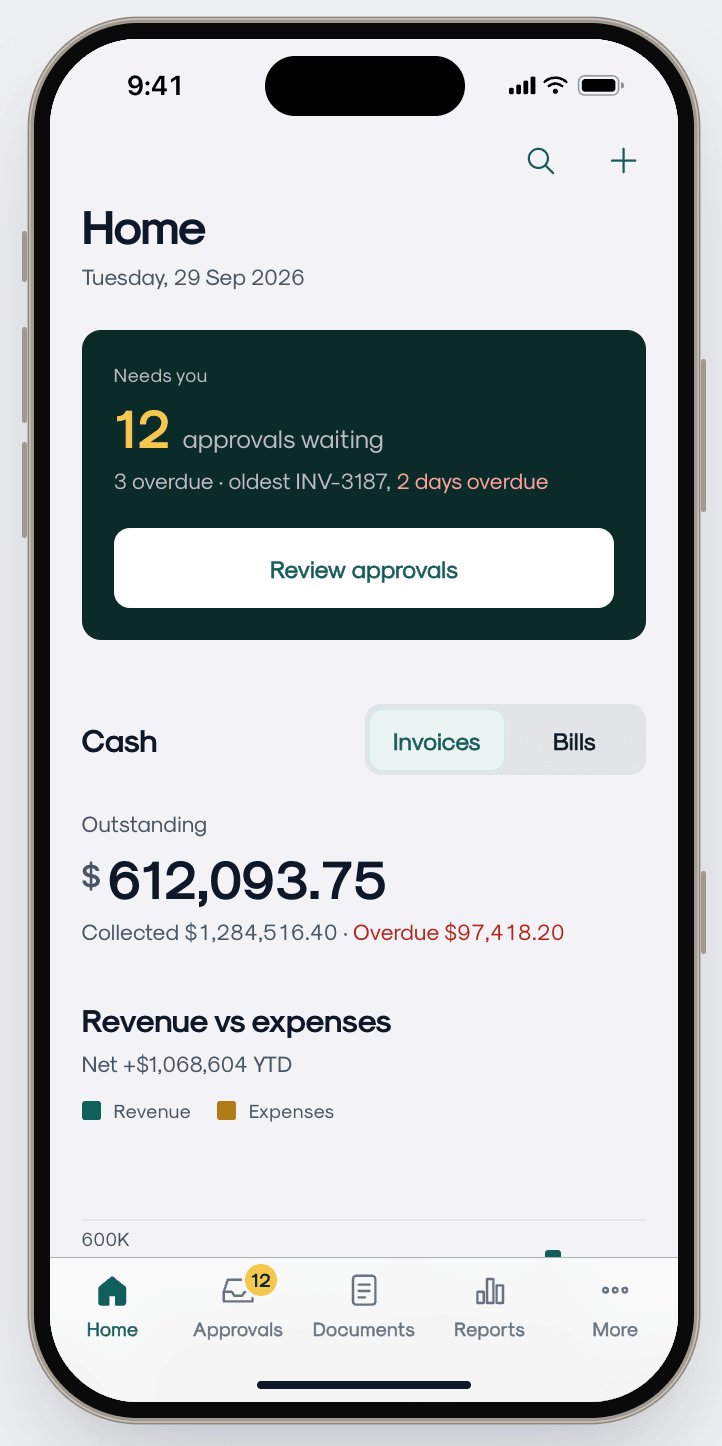
Clearday Home with a tab bar of Home, Approvals, Documents, Reports and More
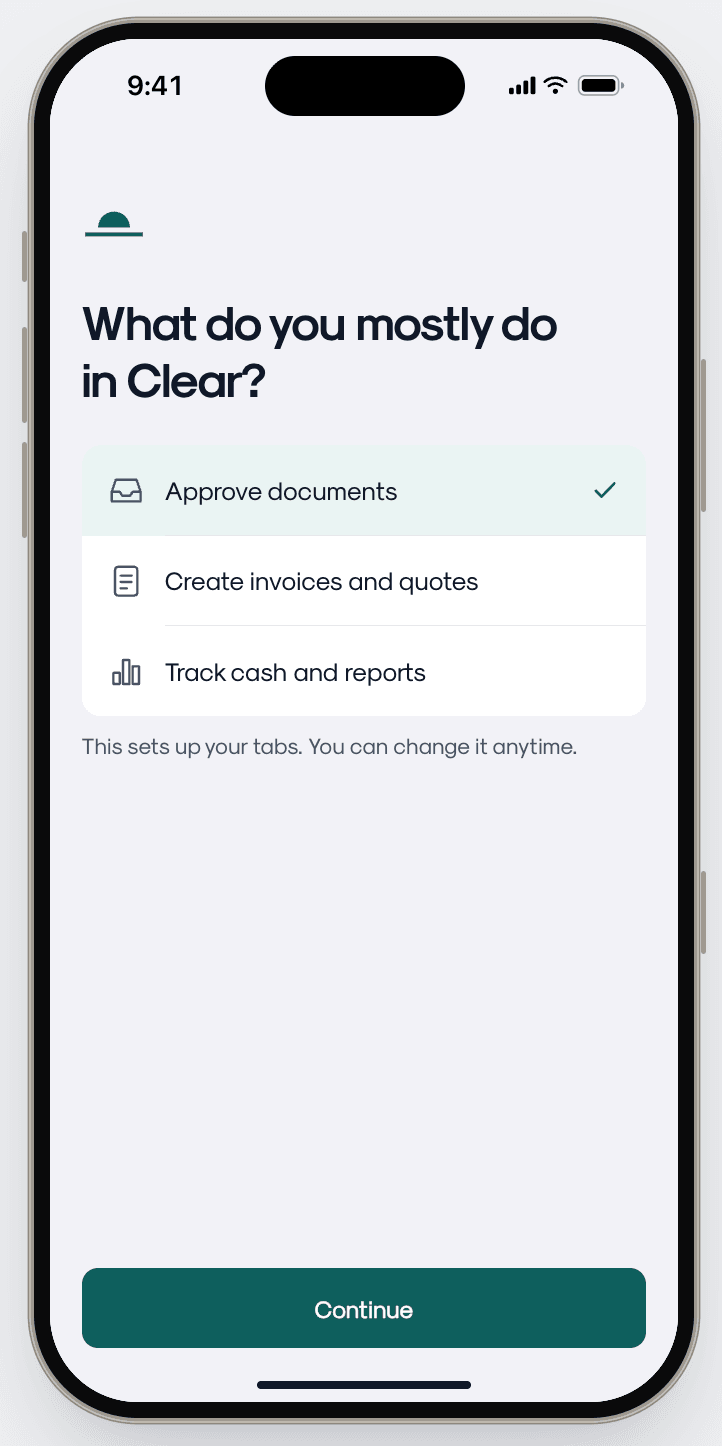
Approve documentsSet up for approvingChoosing “Approve documents” at onboarding pins Approvals, Documents and Reports.
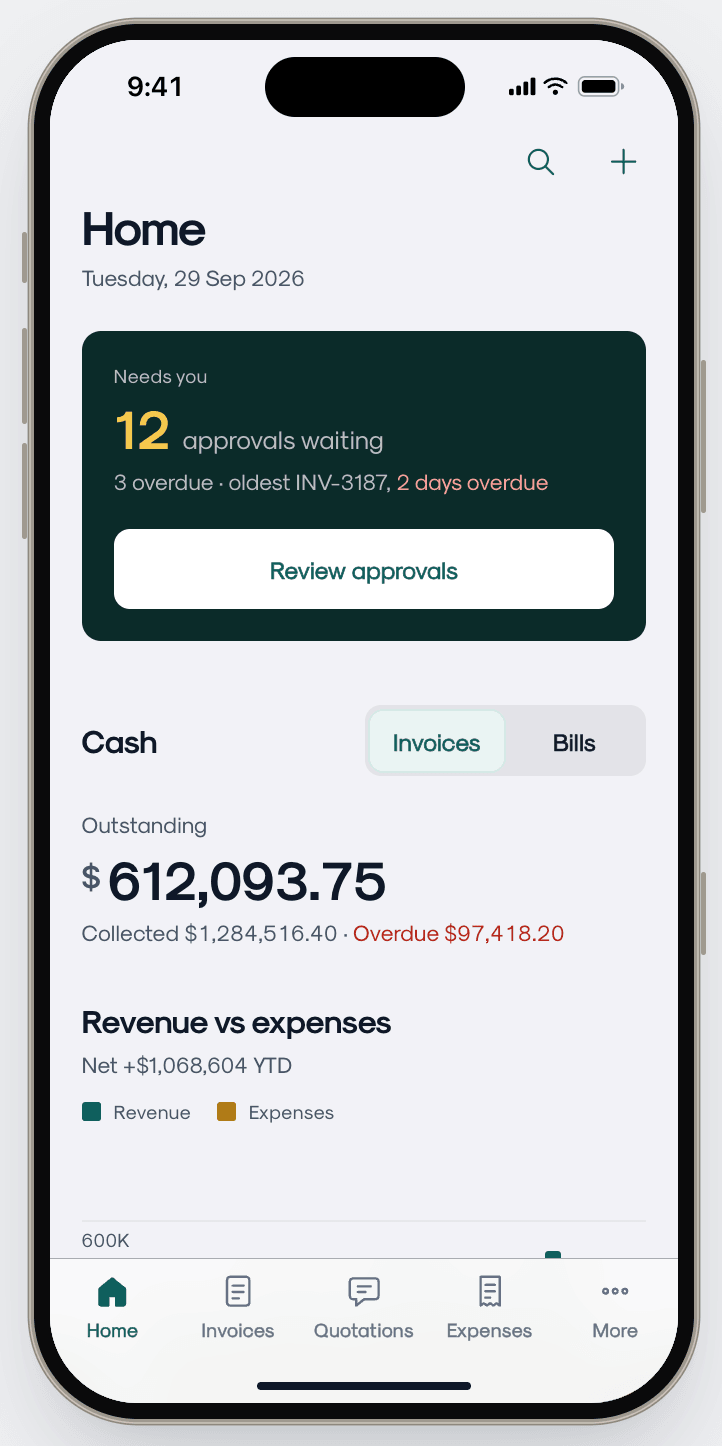
Clearday Home with a tab bar of Home, Invoices, Quotations, Expenses and More
Create invoices and quotesSet up for invoicingThe same app for someone who mostly bills: Invoices and Quotations sit in the tab bar instead.
Edit tabsClipMake it yoursFrom the More hub: drag to reorder, remove a tab, add another from the list, tap Done — the bar updates straight away.
02

Insight

Separation of concerns accelerates action — mixing raw financial data with pending operational tasks overwhelms the user; splitting them into distinct mental models reduces cognitive load.

Decision

Dual-core executive dashboard — split the landing experience into a financial Overview tab (revenue trends, interactive charts, activity log) and a dedicated approval Inbox tab for pending commercial documents.

Dual-core Home
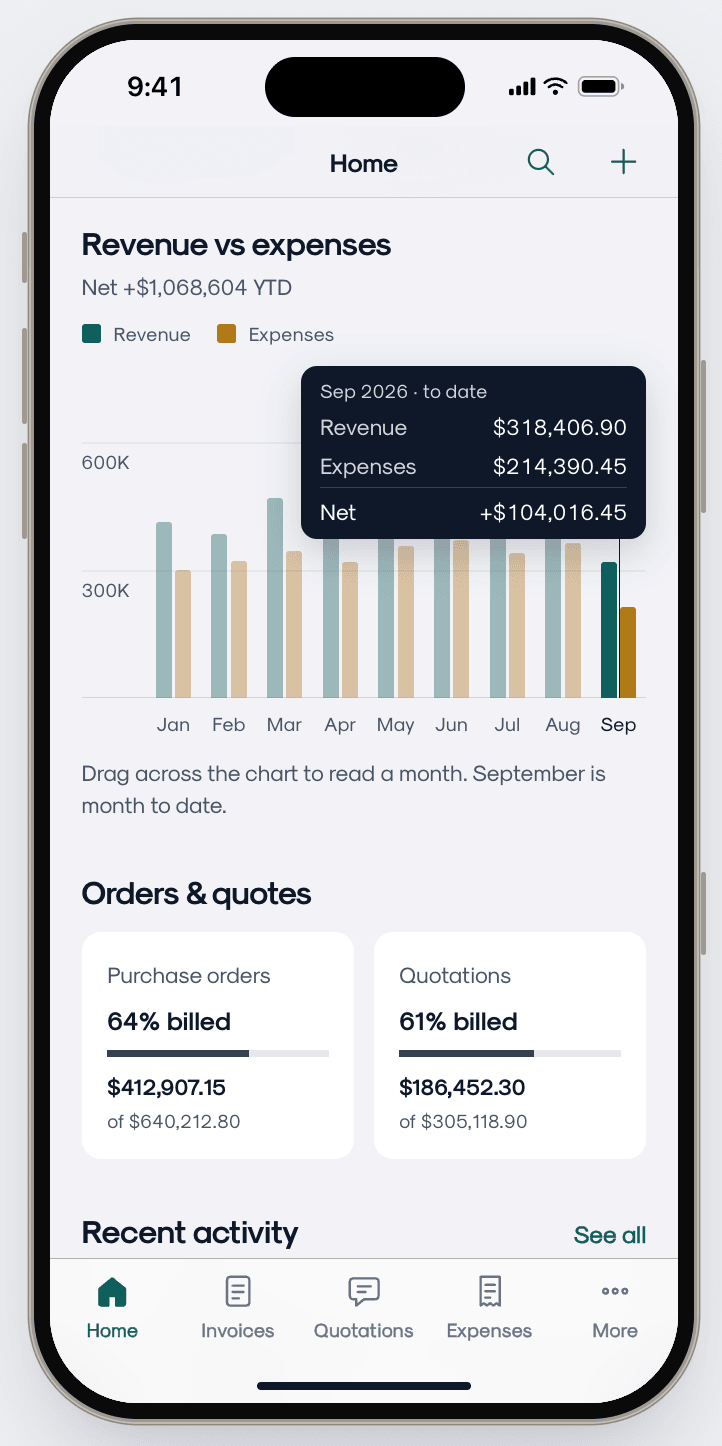
OverviewClipHome, end to endScroll the Home tab: drag across the chart to read any month, then orders & quotes and recent activity.
Revenue vs expenses chart with a tooltip for September, above orders & quotes and recent activity
Revenue vs expensesRead any monthDragging across the chart shows that month’s revenue, expenses and net.
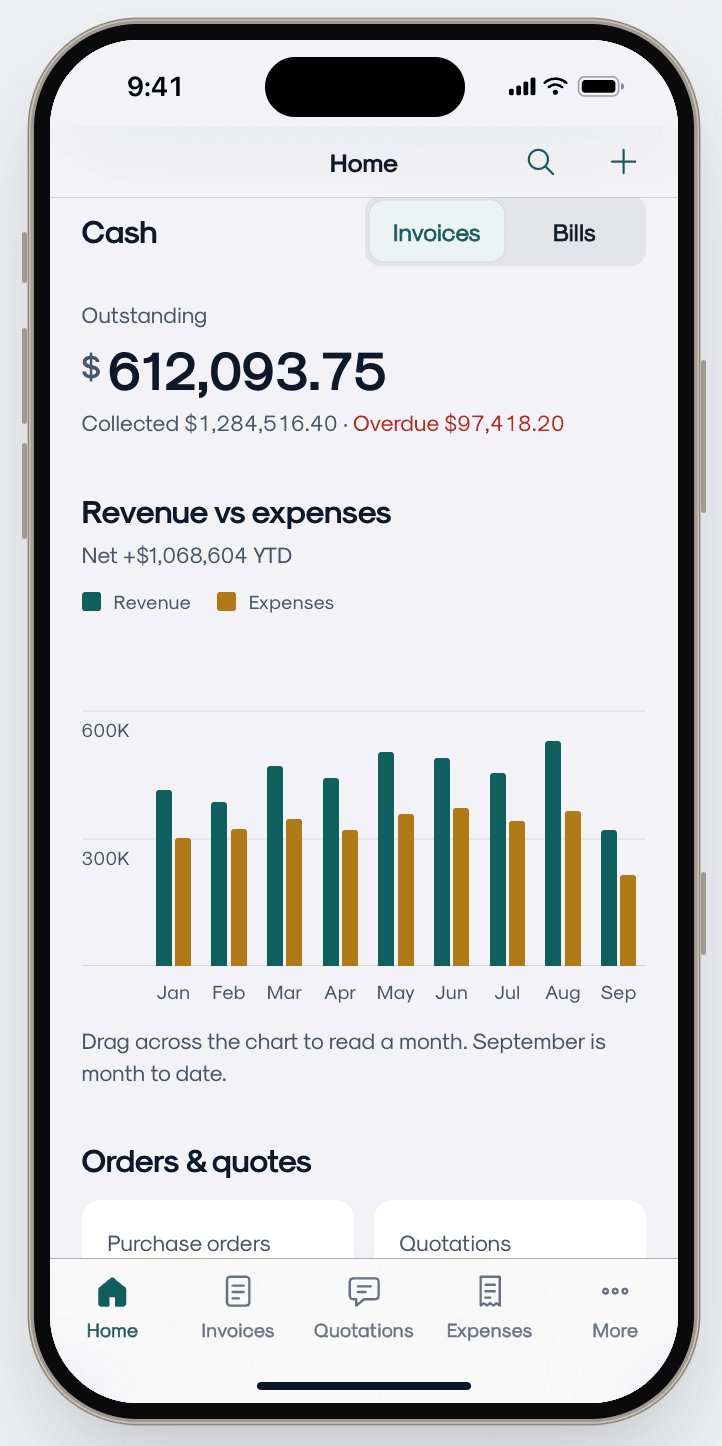
Cash card with $612,093.75 outstanding, collected and overdue amounts, and an Invoices / Bills toggle
CashCash at a glanceOutstanding, collected and overdue in one card, with an Invoices / Bills toggle.
03

Insight

Contextual anchors prevent friction — a universally accessible floating action button serves as a consistent anchor for quick document creation without forcing users to abandon their current analytical workflow.

Decision

Universal quick-action FAB — consolidated all creation actions into a single floating button that triggers a categorized bottom sheet for instantly generating invoices, tasks, or bills from anywhere in the app.

Interactive onboarding walkthrough — a lightweight, targeted flow educates legacy users on the new customizable navigation paradigm.

Onboarding & the universal +
Onboarding question with three choices: approve documents, create invoices and quotes, track cash and reports
OnboardingOne question to start“What do you mostly do?” sets up the tab bar — and can be changed anytime.
Create sheet listing quotation, invoice, purchase order, bill, expense, credit note and debit note
CreateOne + for everythingA single sheet for every document type, with recent customers underneath.
New quotationClipFrom + to draftPick a customer, add an item, create — a confirmation appears back on Home.
Strategic Solutions — Just-in-Time Mobile Patterns
01 — CUSTOMIZABLE TAB BAR

Drag & drop personalization

Users curate their own 4-tab layout from the "More" hub, pinning the modules they actually touch every day.

02 — DUAL-CORE DASHBOARD

Overview vs. Inbox split

A financial Overview tab and a dedicated approval Inbox tab separate insight from action instead of blending them.

03 — UNIVERSAL FAB

One anchor, any screen

A single floating action button expands into a categorized bottom sheet for instant invoice, task, or bill creation.

Solution & Key Screens
Actionable approval inbox
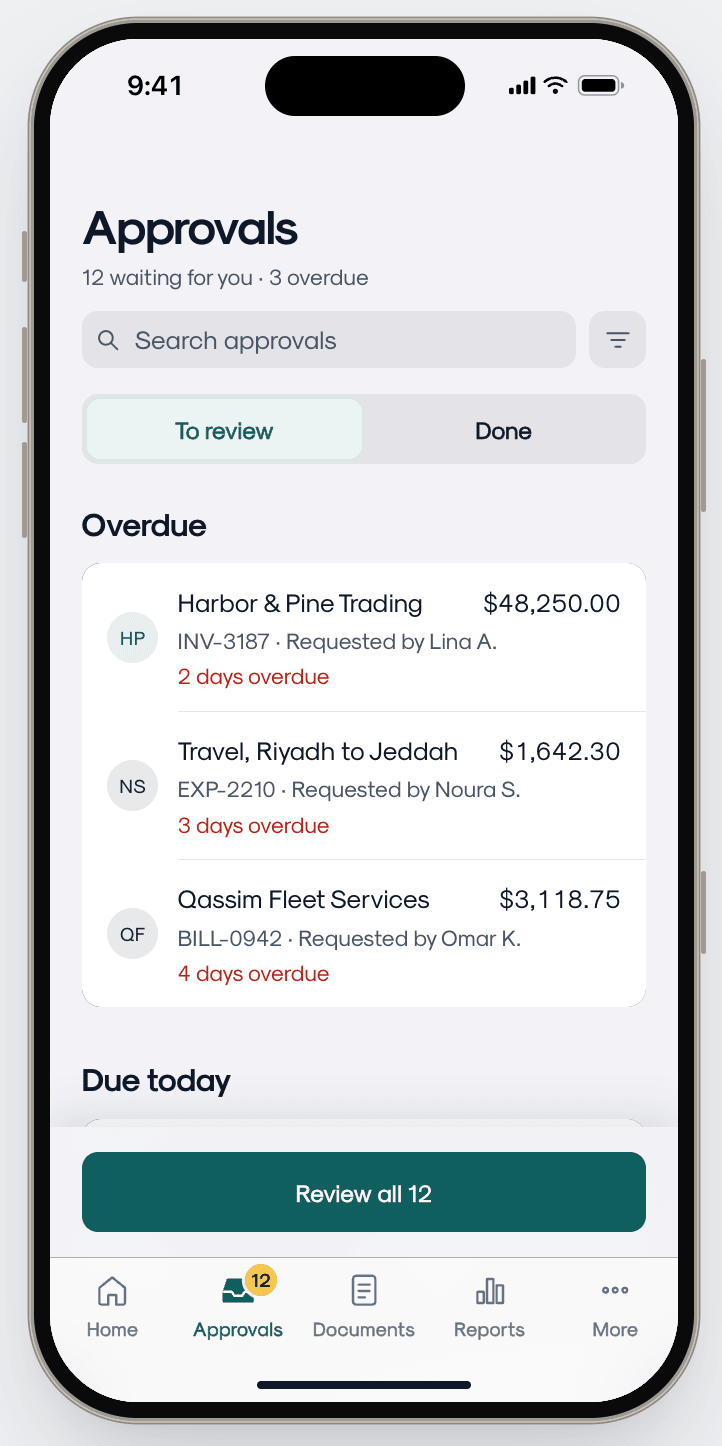
Approvals tab: 12 waiting, 3 overdue, listing an invoice, an expense and a bill
InboxEverything waiting on youOne queue, overdue first, with a single Review all action.
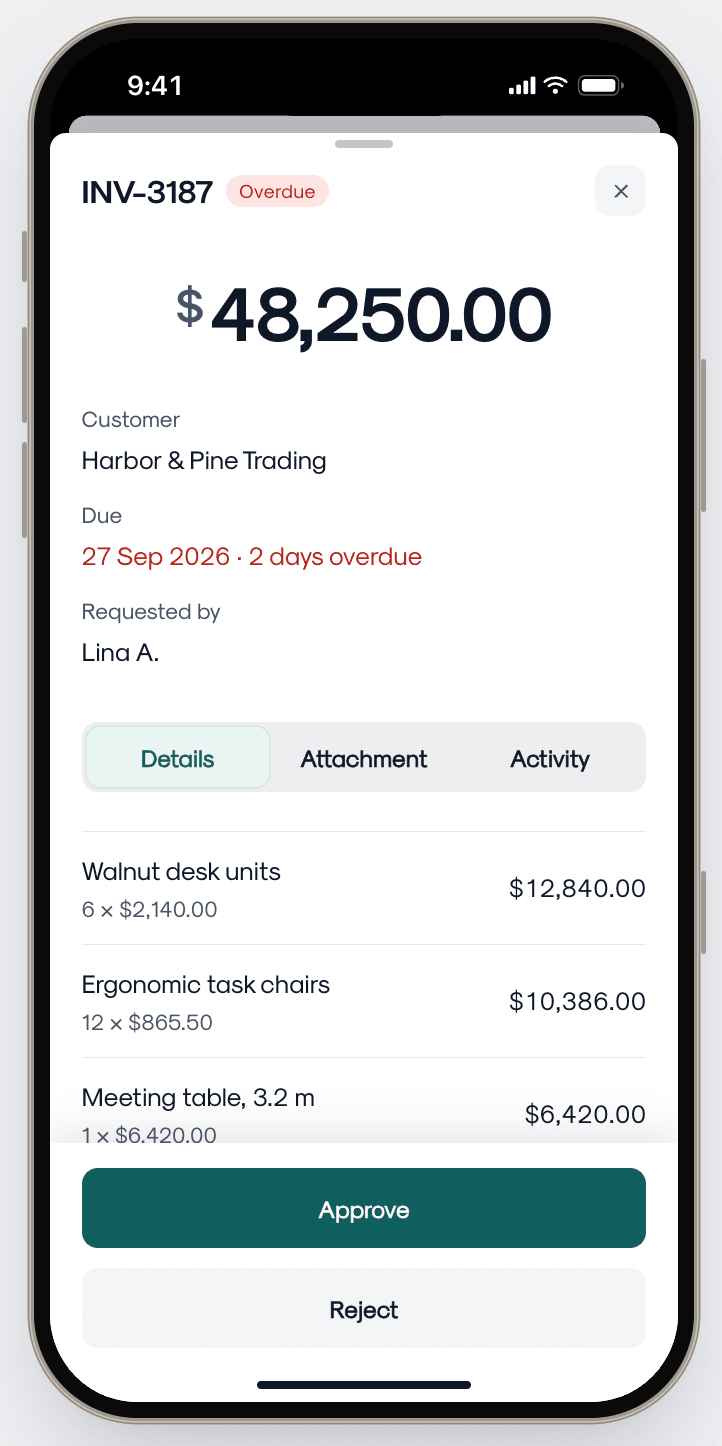
Invoice INV-3187 for $48,250.00, two days overdue, with line items and Approve and Reject
DetailOpen a documentCustomer, due date, requester and line items, with Approve and Reject below.
Review all, 2 of 10: bill BILL-0942 for $3,118.75 with Approve, Reject and Skip
Review allDecide one by oneStep through the queue with progress at the top: Approve, Reject or Skip.
The whole flowClip12 to 9 in a minuteOpen the inbox, approve with undo, move through the queue — and Home’s count drops.
Global search
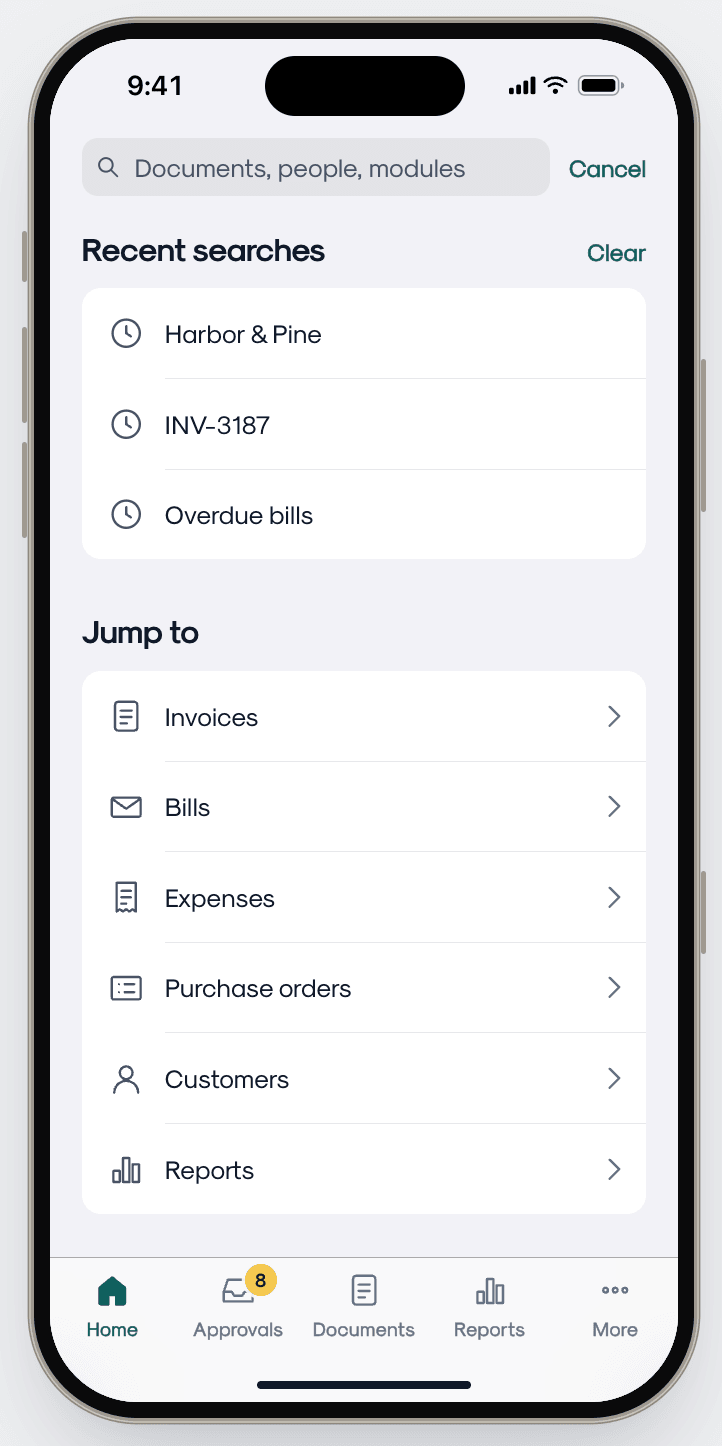
Search screen with recent searches and Jump to shortcuts for invoices, bills, expenses and more
SearchFind anythingRecent searches and quick jumps to modules, one tap from any tab.
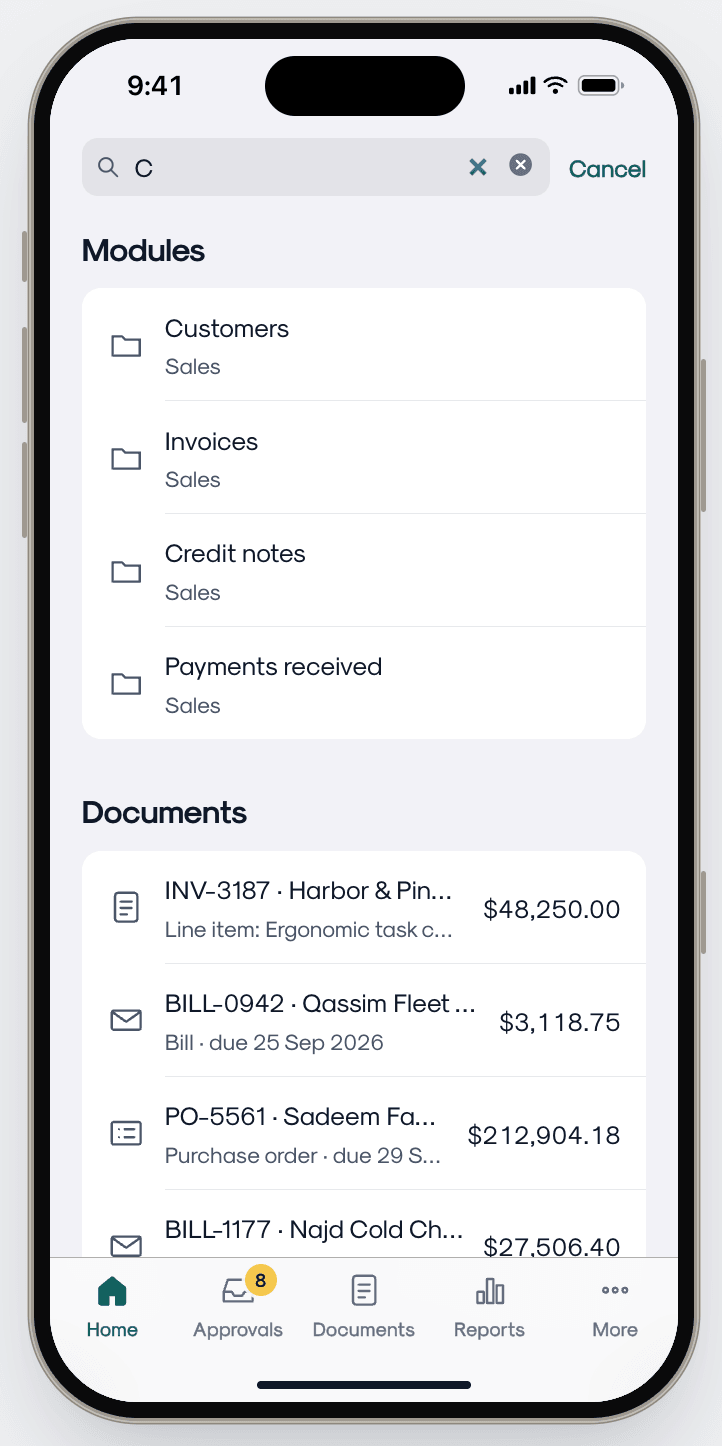
Search results for “C” grouped into modules and documents
ResultsGrouped as you typeModules and documents in separate groups, amounts visible.
SearchClipIn actionFrom Home to a bill in a few taps.
Validation & Iteration

Navigation usability testing — prototyped and heavily tested the drag-and-drop interaction within the "More" tab to ensure mobile gestures felt native, fluid, and error-free.

Inbox filtering adjustments — post-launch feedback showed business owners needed to sort pending approvals by financial value; we quickly iterated to add advanced sorting filters to the Inbox tab.

Before & After

Before — legacy application

Information architecture

Cluttered, deep-layered hamburger menu

Home screen utility

Empty state with isolated quick-create buttons

Approval workflow

Scattered across multiple buried modules

Data reporting

Static, isolated financial figures

After — revamped experience

Information architecture

Persona-driven, customizable bottom tab bar

Home screen utility

Dual-core dashboard — financial overview + inbox

Approval workflow

Centralized, one-tap inbox for all pending documents

Data reporting

Interactive historical period comparisons and trends

Impact

+74%

Active user growth — re-engaged the dormant user base, establishing the app as an indispensable daily tool within the first quarter.

~55%

Faster approval turnaround — the unified inbox eliminated decision-making friction, accelerating company-wide cash flow.

~68%

Customization adoption — over two-thirds of active users tailored their own navigation to fit their specific role.